From Chat Fatigue to Instant Action // Donné Stevenson
A discussion on the evolution of AI agent interaction, moving beyond simple text-based chat to create intuitive, GUI-driven experiences. The talk covers the practical challenges and solutions in building an impactful agent for busy professionals, focusing on quick actions, efficient data streaming, and enhanced interactivity.
The development of AI agents is rapidly moving into a world where the standard chat interface is no longer sufficient. To drive user adoption, especially among busy professionals who are not accustomed to agentic platforms, we must transition from the intimidating “open chat” box to more dynamic, action-oriented experiences. An open text box places the burden on the user to understand the agent’s capabilities and how to formulate questions, creating a barrier to entry. This is the story of a journey to build an agent that car dealers would actually want to use.
The Project: A Business Intelligence Assistant
The goal was to build a business intelligence assistant for dealers on a major second-hand car platform in Poland. The platform is rich with data, but this information can be overwhelming for dealers. The agent was designed to help them parse this data, gain insights, and take action to improve their listings and sales.
The project was approached as a “disrupt project,” prioritizing speed and quick feedback to demonstrate value and test adoption with an experienced user base.
Experiment 1: The Basic Chat Agent
The first iteration was a basic React agent with a limited skill set, focusing on simple data retrieval and analysis. The goal was to get feedback quickly.
Results & Learnings:
- Low Engagement: Despite reaching 100% of the target user base, only 10% engaged with the agent in any measurable way, and repeat usage was negligible.
- User Confusion: Users didn’t know what to ask the agent. They frequently asked, “What can you do?”
- Frustration and Desire: Users were frustrated by the agent’s limited abilities, which was a positive signal that they wanted it to do more.
- The Power of Buttons: The most crucial insight was that users were far more likely to click on suggested question buttons than to type their own questions. This pointed towards a preference for guided interaction over an open-ended chat.
Experiment 2: Moving to a Dynamic UI
Based on the initial learnings, the core hypothesis for the second iteration was that a dynamic UI could ease users into the agent experience without explicit onboarding. The focus shifted from a pure chat interface to what the speaker calls “instant action”.
The agent itself was improved with more tools and better prompting, but the key innovations were in the user experience:
- Dynamic Navbar: A persistent toolbar was introduced, featuring buttons that change based on the user’s context (i.e., the page they are viewing).
- Some buttons are simple front-end shortcuts (e.g., “Upload and Sell”).
- Other buttons trigger the AI assistant with a pre-set, context-relevant question (e.g., on the “Announcements” page, a button to find ads about to expire).
- Interactive Answers: Responses were designed to be more than just a wall of text, featuring clickable elements that take users directly to the relevant part of the platform.
- Streaming: To combat high P99 latency (nearly 20 seconds), responses are streamed to the user, creating the perception of a much faster, more responsive agent.
Technical Deep Dive: UX and Tool Design
Several key technical challenges were addressed to make the agent’s intelligence accessible and effective.
Tool Design: The “Swiss Army Knife” Approach
Designing tools for data retrieval involves a spectrum. On one end is the “hammer”—a tool that does one specific thing reliably but lacks flexibility. On the other is the “giant toolbox” (e.g., generating raw SQL queries)—incredibly flexible but complex and difficult to manage.
The team settled on a middle ground: the “Swiss Army knife”. This involves creating a fixed set of purpose-built aggregation tools.
- Each tool is built around a specific business concept (e.g., “get ads for review”).
- The tool returns three things:
- Aggregated Data: Summary statistics (e.g., averages, counts).
- Data Explanation: Plain-text definitions of key terms.
- Raw Data Snippet: A small sample of raw data for the agent to use for more nuanced follow-up questions.
Data Representation and Token Optimization
LLMs struggle with large volumes of tabular data, and passing data efficiently is critical to managing context windows and costs.
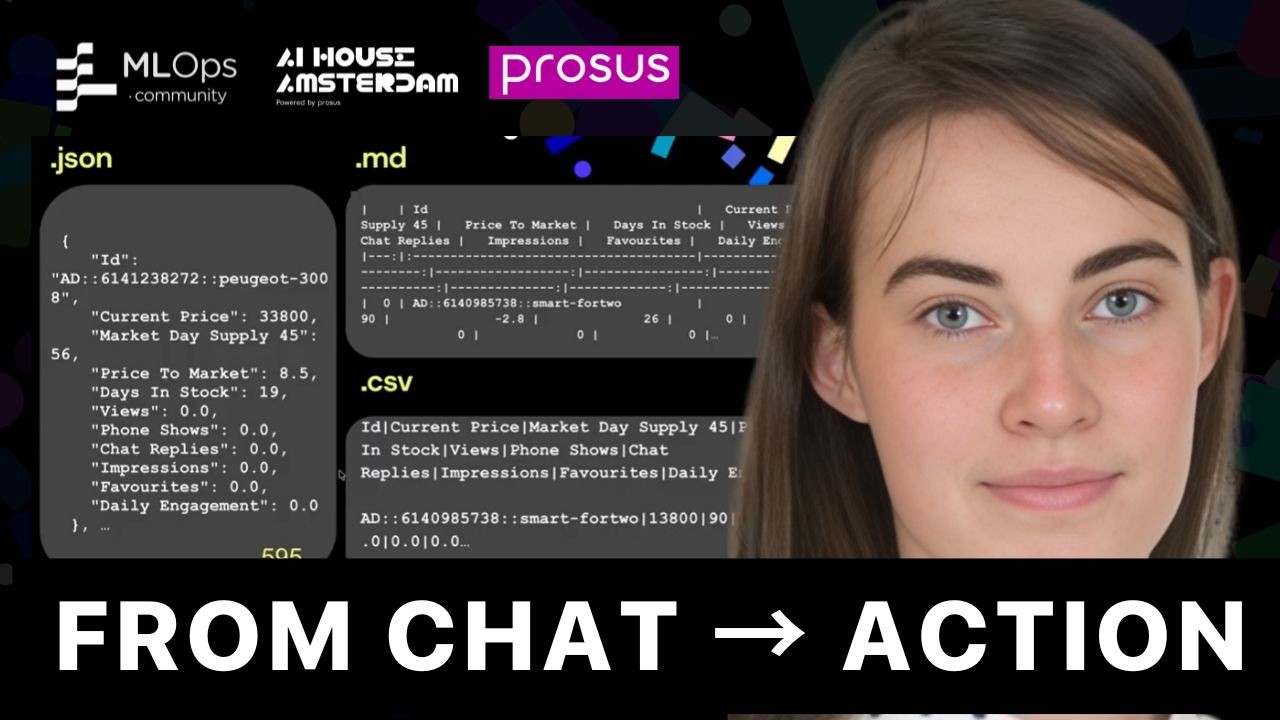
- JSON vs. CSV: The initial approach used JSON, which is highly interpretable for an LLM but extremely token-heavy. They switched to a CSV representation, which nearly halved the token count. The loss in raw data comprehensibility was mitigated by providing the clean, aggregated summary statistics at the top of the tool’s response.
- Interactive Element Tokens: To create clickable links in responses, the initial implementation returned a full markdown link from the backend. This was token-intensive and fragile, as the LLM could fail to format the URL correctly. The solution was a clever contract between the front-end and back-end:
- The agent now returns a custom, compact token like
AD[id, name]. - The front-end is programmed to recognize this specific token format and render it as a proper, clickable hyperlink. This saved a significant number of tokens and made the system more robust.
- The agent now returns a custom, compact token like
Final Results and Conclusion
The shift to a dynamic, button-driven UI was highly successful.
- Users overwhelmingly prefer to initiate a session by clicking a button rather than typing an open question.
- This initial, guided interaction often serves as a gateway, leading users to ask spontaneous, open-ended follow-up questions.
- The ultimate goal is to continue making the UI so dynamic and predictive that the need for open-ended questions diminishes, as the system can anticipate the user’s next action.