Real World Development with GitHub Copilot and VS Code — Harald Kirschner, Christopher Harrison
A deep dive into "Vibe Coding," a development methodology that prioritizes outcomes over code-level details, using the advanced AI features of VS Code and GitHub Copilot. The talk explores three stages of this methodology—YOLO, Structured, and Spectrum—and demonstrates how to leverage agent modes, custom instructions, reusable prompts, and the Model Copilot Protocol (MCP) to enhance productivity from rapid prototyping to enterprise-scale development.
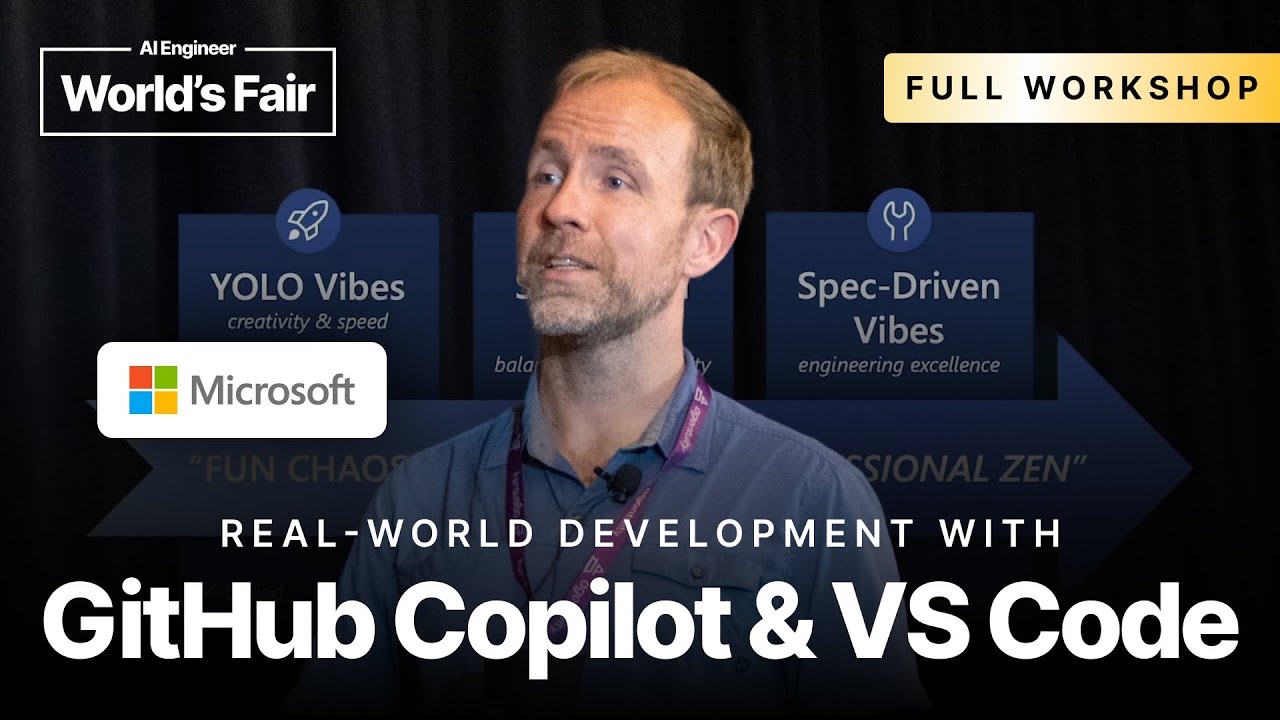
The concept of “Vibe Coding” is about shifting focus from writing code to achieving the desired output, building trust in AI tools while implementing the right guardrails. It’s an approach that embraces the exponential growth in AI capabilities to generate increasingly large and complex codebases, allowing developers to operate at a higher level of abstraction.
The Three Stages of Vibe Coding
The journey of adopting this methodology can be broken down into three distinct stages:
- YOLO Vibes: This initial stage is characterized by creativity, speed, and instant gratification. It’s ideal for learning new technologies, rapid prototyping, and personal projects. The goal is not necessarily to ship a production-ready product but to quickly bring ideas to life and get a tangible feel for a concept.
- Structured Vibes: This is the intermediate stage where the chaos of YOLO Vibes is balanced with sustainability and maintainability. Here, the focus shifts to creating readable, quality-controlled code that can be handed over to other team members. It’s about building on guardrails.
- Spectrum Vibes: The most advanced stage, where emerging best practices are applied to achieve scale, reliability, and velocity. It involves creating detailed specifications and plans before implementation, leveraging custom tools and advanced AI configurations.
Stage 1: YOLO Vibe Coding in Practice
This stage is about outcome-first development, staying in a natural language flow with the AI and auto-accepting changes to maintain momentum.
- Getting Started: The demonstration begins in an empty VS Code workspace, using the Insiders version for the latest features. The key is to use Copilot’s Agent Mode (
@workspace). - Project Scaffolding: A powerful technique is to use the
/newcommand within the workspace agent (e.g.,@workspace /new create a react vite website for water consumption tracking). This command is optimized for creating projects from scratch. It’s recommended to guide the AI with popular, stable stacks (like React and Vite) and descriptive design prompts (e.g., “following Apple design principles,” “with material design”). - Automating the Flow: For a true “vibe” experience, it’s crucial to enable the “Auto Approve” setting in VS Code. This prevents the AI from pausing for confirmation before running terminal commands or creating files, allowing for a continuous, uninterrupted workflow.
- Visual Interaction: A key feature demonstrated is the ability to interact with the web application visually. When the app is running in VS Code’s Simple Browser, a toggle allows you to select a UI element. This action attaches a screenshot and the relevant HTML/CSS context to the chat, enabling you to request changes visually, such as, “make this header more animated by adding particles.”
- Checkpoints and Undo: Even in a fast-moving flow, you’re not without a safety net. Copilot creates checkpoints for the work it does, allowing you to easily
undoa recent set of changes and revert the codebase to a previous state.
Stage 2: Structured Vibe Coding with Guardrails
This stage is about taming the creative chaos by introducing structure and consistency, making the process suitable for team environments and greenfield projects.
- Copilot Instructions: The foundation of this stage is the use of instruction files.
.github/copilot/instructions.md: A workspace-level Markdown file that provides grounding context to Copilot for all interactions. It’s used to define the tech stack, coding conventions, architectural principles, and even guide the AI on which tools to prefer for specific tasks..github/instructions/*.instructions.md: A newer, more granular format. These files use front matter with glob patterns to scope instructions to specific file types (e.g., applying certain rules only when TypeScript files are in context).
- Reusable Prompts and Plans: To standardize common tasks, you can create a
.github/promptsdirectory.- Prompts stored here (as
.mdfiles) become available via the/command in the chat. This is perfect for sharing expertly crafted prompts for tasks like writing tests, refactoring code, or creating documentation.
- Prompts stored here (as
- Custom Chat Modes: A new feature (in Insiders) allows you to define custom agent modes. In the demo, a Test-Driven Development (TDD) mode was created. This mode was configured with a prompt that instructs the AI to first understand the requirements, then write failing tests, wait for user confirmation, and only then write the implementation code. This enforces a specific, high-quality workflow across the team.
Stage 3: Spectrum Vibes & The Model Copilot Protocol (MCP)
This is the pinnacle of Vibe Coding, focusing on deep customization, planning, and integration.
- Model Copilot Protocol (MCP): MCP allows developers to extend GitHub Copilot with custom tools by running local or remote servers that expose new capabilities to the agent.
- Installation: Servers can be installed easily by editing
mcp.jsonin the.vscodedirectory or by using a custom VS Code protocol handler (e.g., clicking an “Install Server” link on a webpage). - Examples: The Playwright MCP adds tools for browser automation, accessibility audits, and screenshots. Other tools can provide access to internal databases, project tracking systems (like Jira), or proprietary APIs.
- Installation: Servers can be installed easily by editing
- Tool Sets and Model Management:
- To manage the “tool explosion” that can happen with many MCPs, you can create Tool Sets. These are named groups of specific tools that you can then assign to your custom modes or prompts, ensuring the AI only uses the most relevant tools for a given task.
- VS Code also allows you to configure and switch between different LLMs (e.g., local models via Ollama, or APIs from Anthropic, Google, etc.), enabling you to use the best model for the job.
- Spec-Driven Development: At this stage, the emphasis is on defining a clear plan or specification before writing code. You can use AI as a thought partner, feeding it meeting transcripts or high-level ideas and asking it to generate a detailed spec. You can then have the AI critique this spec, identify missing pieces, and iterate on the plan before kicking off implementation.
Takeaways
- Experimentation is Crucial: You must experiment to find what works for you and your team. Find the right level of abstraction and trust with the AI.
- Iterate and Give Feedback: Don’t accept bad answers. Refine your instructions, prompts, and modes based on the AI’s mistakes and successes.
- Commit Often: Use version control as a series of reliable checkpoints. Whenever the AI produces a good, working state, commit it.
- Structure for AI: A well-structured, self-explaining codebase with clear instructions, examples, and task definitions (in
tasks.json) will yield significantly better results from the AI agent.